
Your product stays yours
Keep your hardware, supported Linux distribution and application. Your team owns sensing, control logic and the safety checks that run on the device.

Install one agent alongside your existing Linux application. Give your team remote access, fleet health and logs. Add a branded customer application when it serves your product.
Get the install command by email. Remote access is free on one device. Pricing
Dataplicity connects your Linux equipment to the people who operate it. Start with remote access, then add the capabilities your product needs.
Keep your hardware, supported Linux distribution and application. Your team owns sensing, control logic and the safety checks that run on the device.
Install the Dataplicity agent through a local command, your factory setup or an existing update process. It runs alongside your application and connects outbound.
Find the unit, see its health and collected logs, and open a remote terminal. Keep customer and site context with the equipment you support.
Installation needs access to the device. Live remote access begins once the agent is online and able to reach Dataplicity; outbound network policies still apply.
Explore the architecture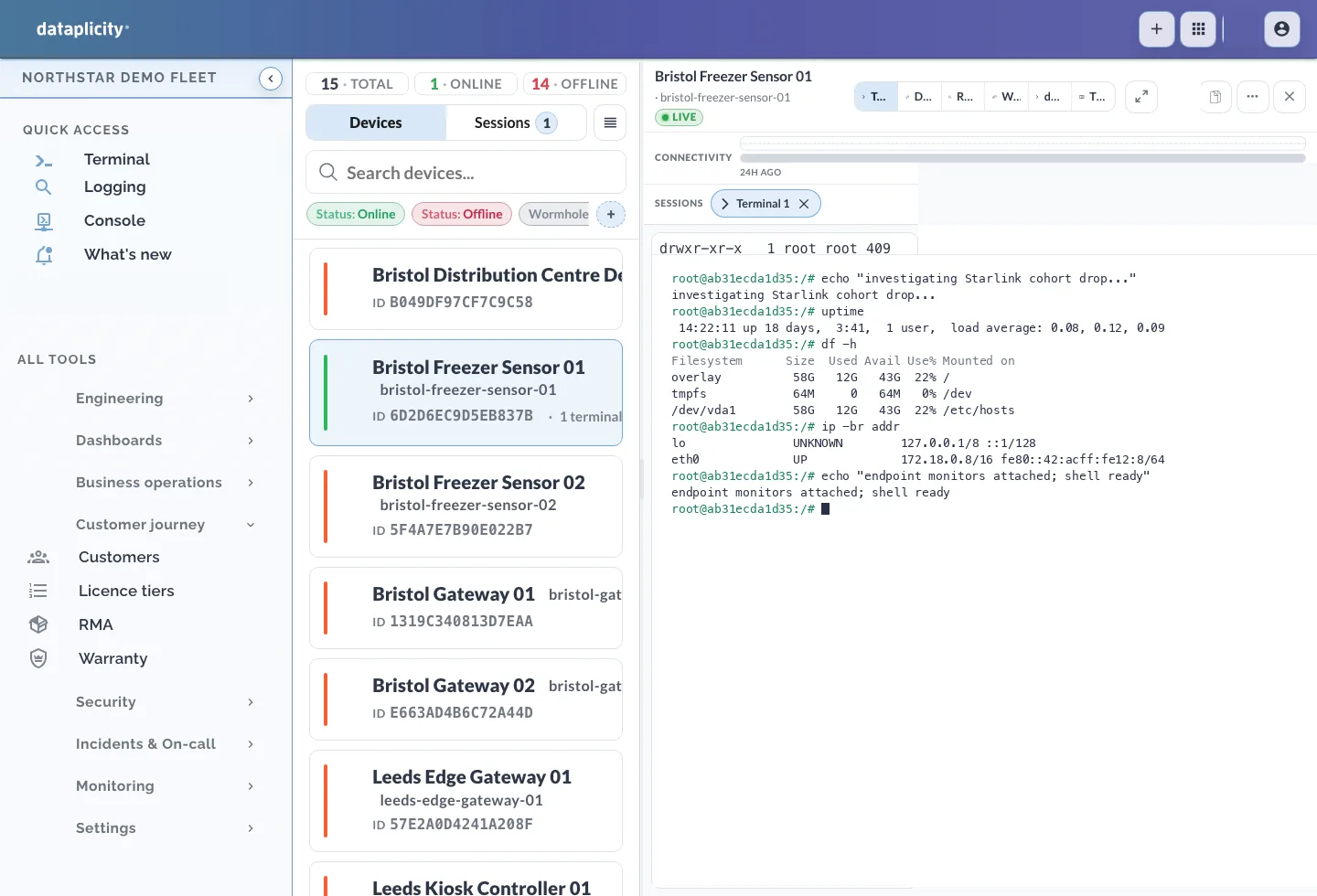
Dataplicity fleet workspace: device inventory and a live Linux terminal.
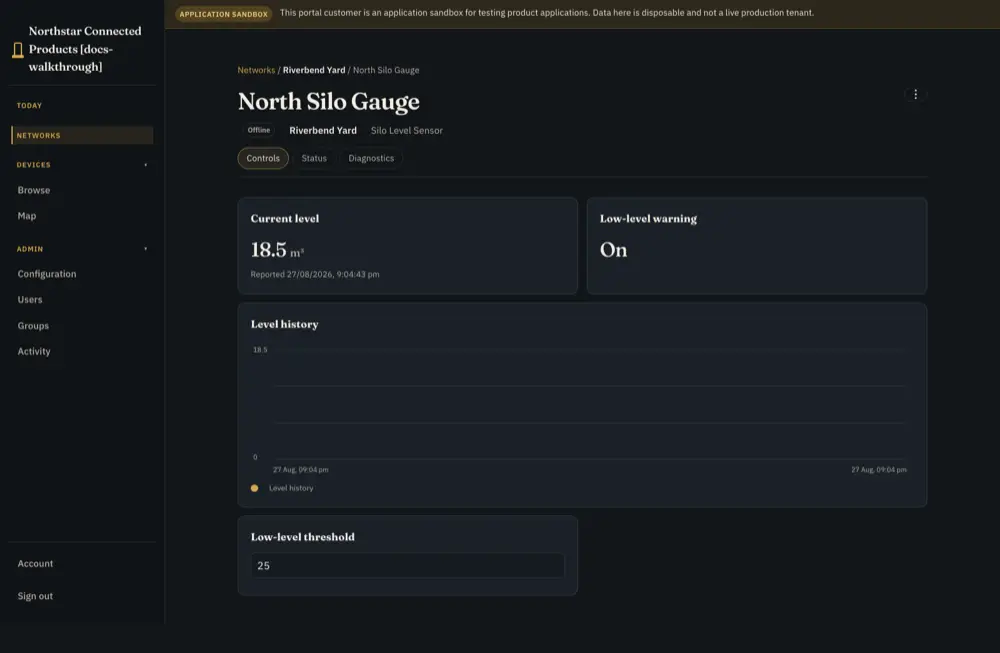
Example customer application: silo levels, reading history and device controls.
Start with the problem you have today. Operate an existing fleet, release software, keep essential work local or build a customer application. You do not need to adopt everything.
Reach Linux devices behind customer networks. Investigate with Pulse, diagnostics and collected logs without replacing the application you already run.
Fleet operations works with the software and updater you already have. If useful, add managed application releases or RAUC fleet rollouts later.
Use explicit Edge execution, selected local data and bounded buffering for products that must tolerate unreliable connectivity.
Provide scoped device views, records, controls and workflows in your brand while keeping engineering tools with your team.
Use these capabilities together around the same devices. Check plan availability before choosing your rollout.
Organise equipment by product type, customer and site. Keep the context your support team needs.
Device inventory and ownershipDefine a Device Class for a product type and use the right installation settings across a batch.
Device provisioningCompare device health, search collected logs and reach an online device to investigate.
Fleet operationsSchedule recurring jobs and review execution history. Use the controls appropriate to the devices you target.
Scripts and schedulesShow customers their equipment, data and permitted actions under your brand. Your engineers define and test the product workflow.
Customer applicationsUse team roles, identity controls and security activity to understand who accessed the system.
Security and audit scopeChoose a starting point that matches how you can reach your devices today. Prove the connection and one useful task before expanding.