
01
Establish a trustworthy measurement.
Validate the sensor, units, conversion and timestamps in your product application.
- Sensor↓
- Validated reading↓
- Quality + timestamp
Illustrative data path · calibration remains product engineering

Turn a reading into a useful customer decision.
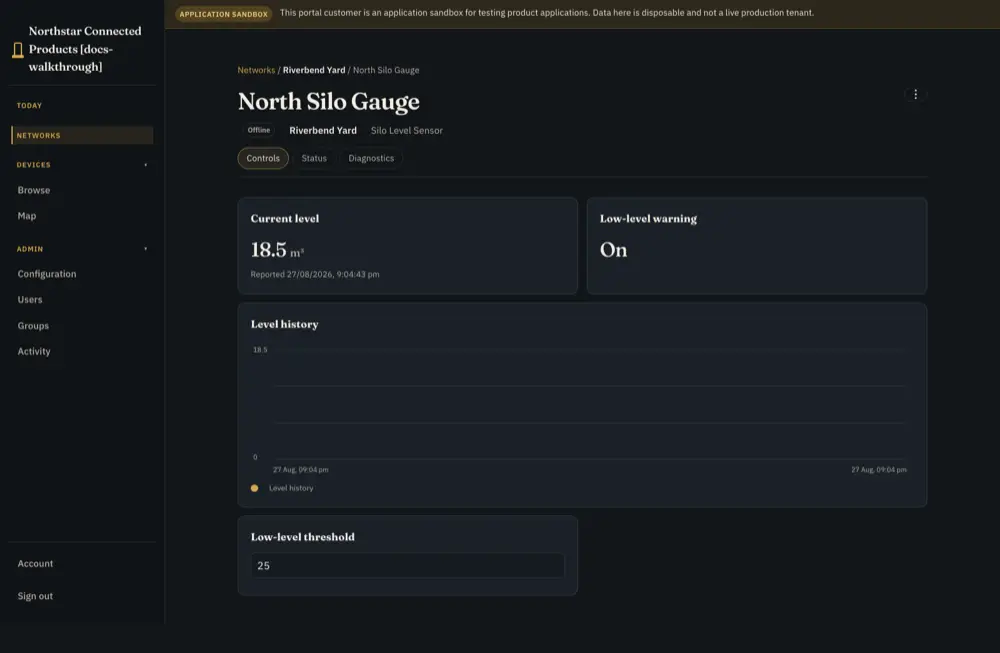
Level history, warning and threshold · reference product
Validate the sensor, units, conversion and timestamps in your product application.
Illustrative data path · calibration remains product engineering
Give the assigned customer a trend, threshold and visible measurement freshness.
Reference product view · integration required
Configure thresholds and response, then check a fresh reading after the intervention.
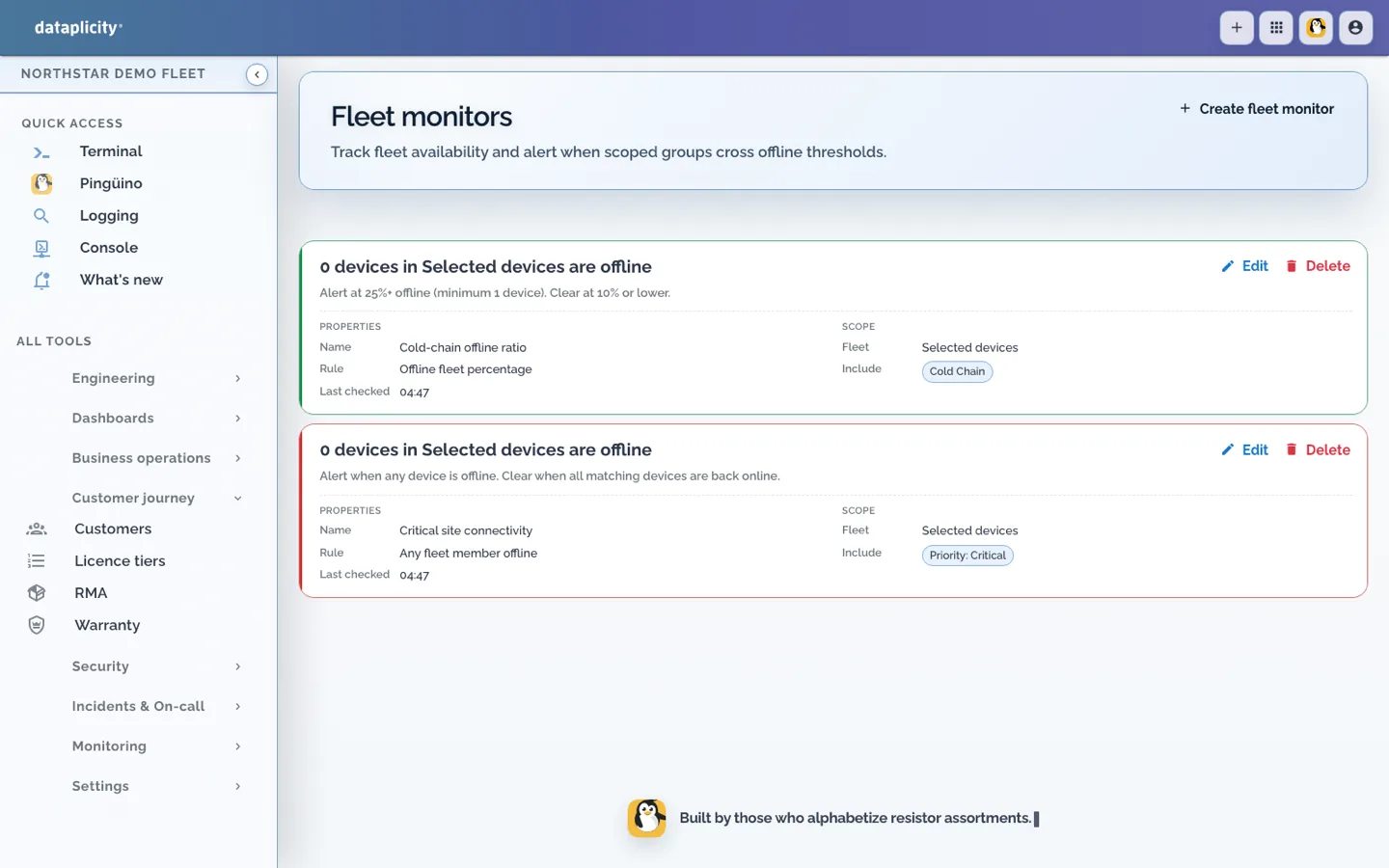
Northstar demo workspace
The sensor adapter, calculations and response need configuration. External replenishment or dispatch requires its own integration.
See the full workflow and requirements →Illustrative operating sequence. People choose the scope and intervention; configured collection, rules and device behaviour supply the evidence.
Step 1
Integrate the sensor and application. The manufacturer owns calibration, geometry, conversion and units. Report quality and timestamps alongside level or capacity; a connected sensor does not guarantee an accurate volume.
Step 2
Assign the equipment to the customer/site. Show remaining quantity, threshold, recent trend and measurement freshness. This is a level-monitor reference, not a ready-made sensor service.
Step 3
Configure customer-specific thresholds, persistence, recovery and responsible recipients. Decide what to do with stale or failed readings rather than treating missing data as an empty tank.
Step 4
The responsible person checks the condition and arranges the appropriate response. Confirm the resulting fresh measurement and retain exceptions. External replenishment, purchasing or dispatch needs its own integration.
Sensor quality, validated product calculations, customer/site assignment and configured threshold give the reading operational meaning. Support uses the same device identity with its own access permissions.
No automatic purchase order, delivery routing, precise forecast or replenishment dispatch is supplied by this explanation. Integrate and verify any external business process you need.
Configuration, product engineering and subscription eligibility are different requirements.
Build the sensor/application adapter and validate calculations. Configure the customer display, roles, thresholds and response. Test a low level, stale signal, sensor failure and recovery with demo equipment.
Retain sensor choice, Linux, firmware, calibration and physical design. Add selected data and controls around the existing application without a required OS or updater change.
Customer product capability follows portal/customer plan limits. Operational alerting follows its separate entitlement. Product calculations and response configuration remain the manufacturer’s work.
Read the guide →Use the exact implementation guides to check the supported contract and limits.
Configuration and implementation requirements.
Read the guide →Configuration and implementation requirements.
Read the guide →Ask for help where evidence or an integration decision is unclear. Use the context and permissions available to that conversation.
Equidna helps connect supplied hardware evidence to the software path; Nutria helps plan the customer job; Pingüino helps investigate authorised operational evidence. Shared-room help remains read-only. 24/7 AI assistance has plan and usage conditions.
Read the guide →Use the reference to build your own test. Validate the hardware, integration and operating process on your product.
Review the procedure and qualify the parts your product requires.
Read the guide →Start with the product you have, then choose independent optional paths.
Read the guide →Build the sensor/application adapter and validate calculations. Configure the customer display, roles, thresholds and response. Test a low level, stale signal, sensor failure and recovery with demo equipment.