

Hardware & firmware
Equidna
Work through a circuit, a Linux interface or the next bench test using your board evidence.

Bring your teammates, the evidence and the question. Invite an AI specialist when you need another perspective, and work out the next step together.
Team conversations are available on paid plans. Specialist access and usage limits apply.
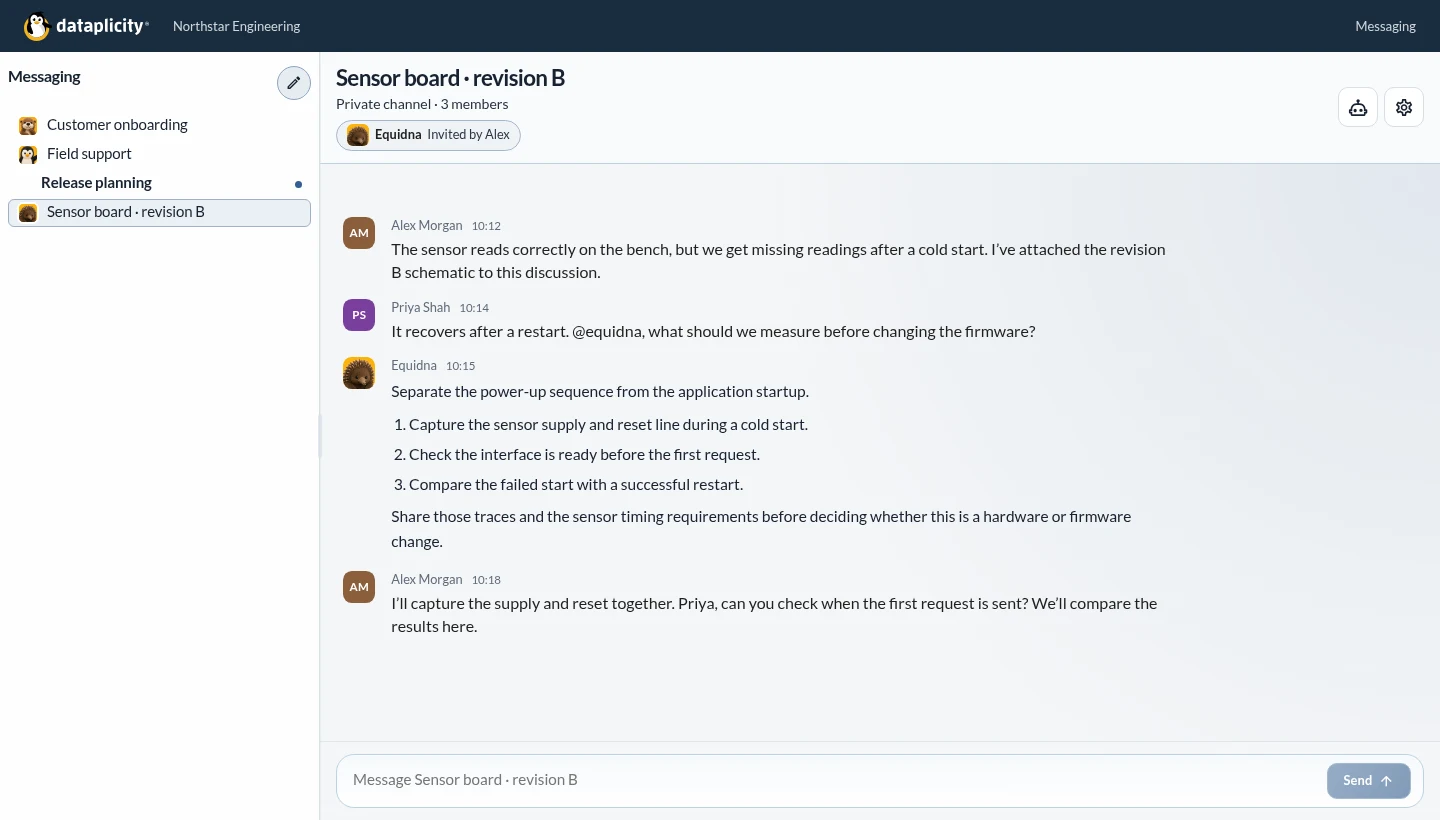

A design that needs a second opinion. An integration question. A fault you’re trying to reproduce.
Keep the question, the evidence and your teammates in one conversation. Bring in a specialist when it helps, then keep the findings and next tests where the team can return to them.
Dataplicity’s team chat is called Casa del Pingüino. You can start a discussion without connecting a device.
Choose from the specialists offered on your plan. Give them the relevant context and ask for practical next steps.
Equidna
Work through a circuit, a Linux interface or the next bench test using your board evidence.

Nutria
Talk through your product, customer onboarding and useful starting points for your operation.

Pingüino
Discuss a technical problem and the next investigation. Private support provides a separate path for permitted device work.
Invite an assistant into the whole conversation or a selected reply. Choose whether it starts with new messages or includes selected earlier history.
Share the material that matters to this question. A link alone does not give an assistant access to every document or account.
Read the conversation guide →Shared assistants provide read-only advice within the inviter’s permissions. For device evidence or operational actions, use the private technical support workflow.
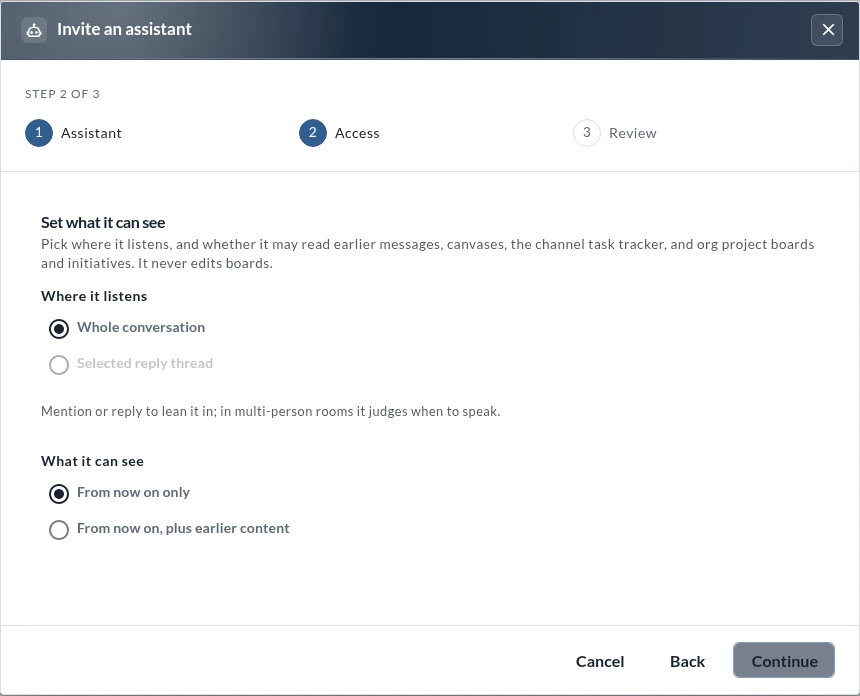
Open Messaging in your organisation. Choose New conversation and add your teammates.
Explain the question and share the relevant evidence. Invite an available specialist and choose its context.
Review the suggestions together. Check them against the source material and the actual result.
No device enrolment or customer application is needed to start a discussion.
Plans, specialists and usage →