
Adopt Dataplicity without rebuilding your product.

Keep your Linux and application. Connect first; add what you need.

Start with the product you have.

Demo workspaces and reference product views.

One agent. A useful first connection.

Install on supported Linux. Find the unit, open a remote terminal and retrieve files for support.

Your OS, application and updater can stay. You can stop here.

Check installation requirements →
Your Linux deviceYour existing application+ Dataplicity agent
Your support teamDevice identityRemote terminalFile access

Investigate with evidence.

Move from a customer’s report to the device, its history and the right tools.

Enable collection and comparable device groups. Configure access and response policy; plan and baseline conditions apply.
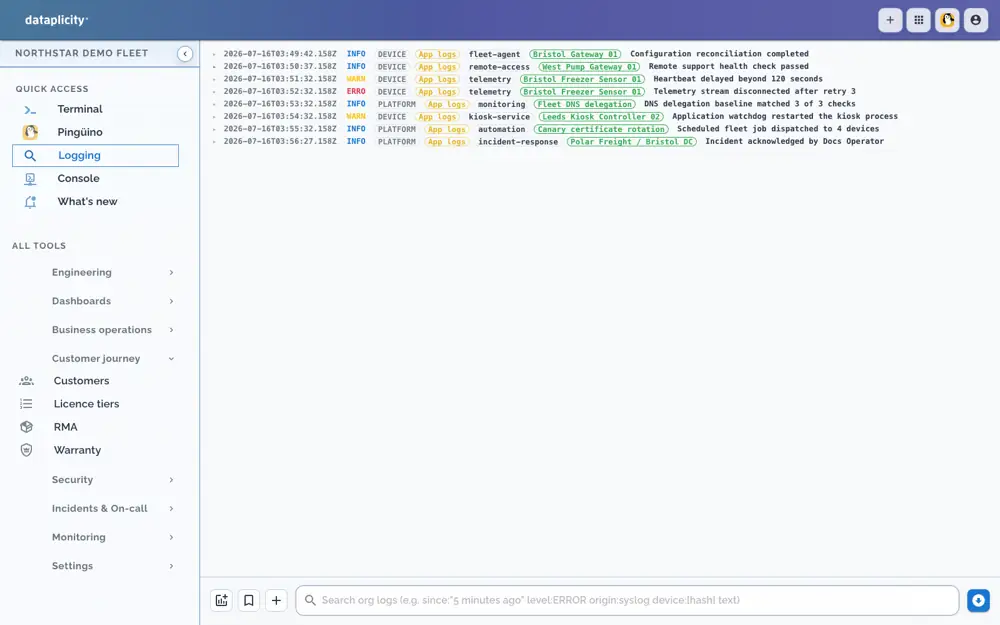
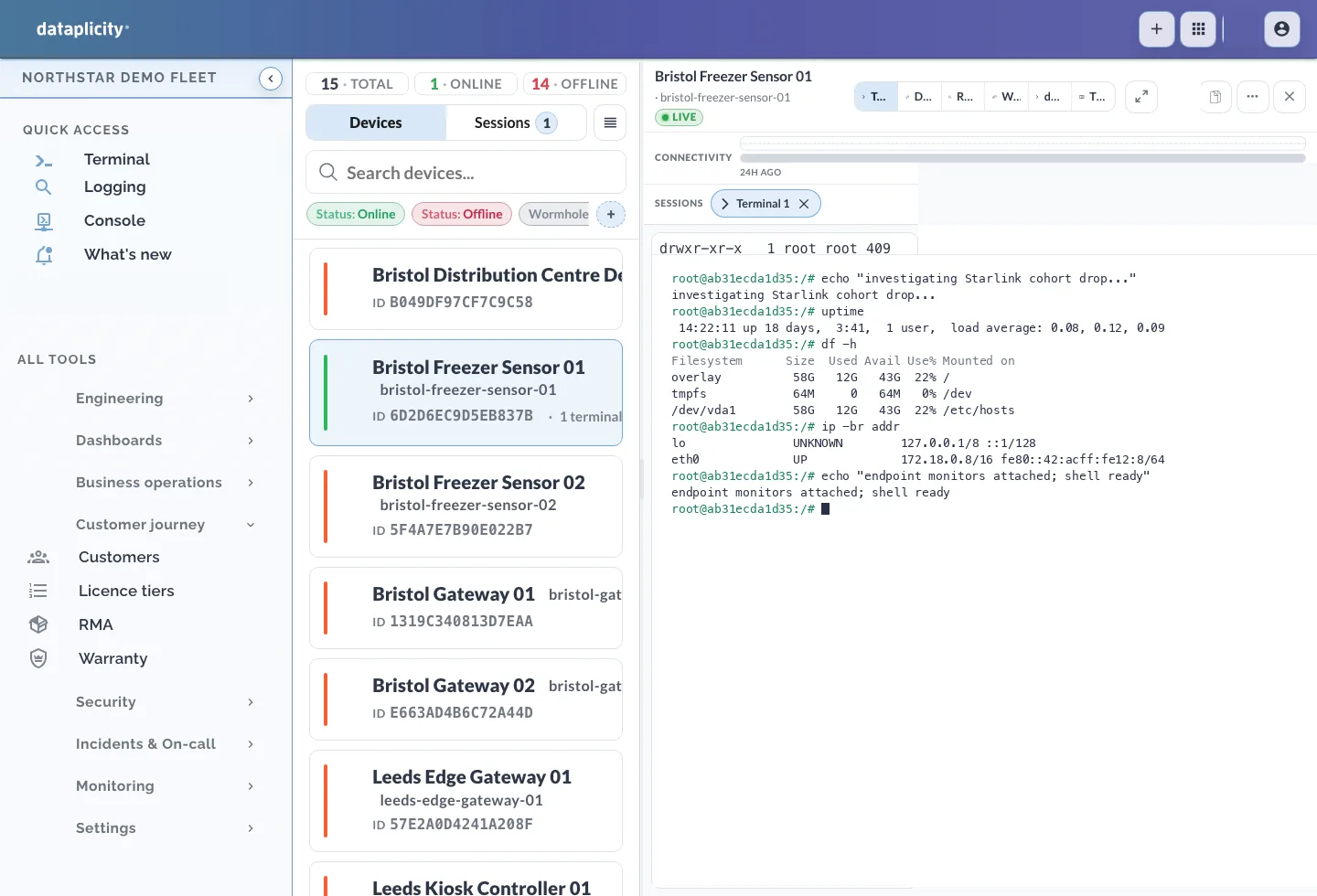
Dataplicity logging console with device and platform events from the Northstar demo fleet

Collected device and platform events · Northstar demo fleet
Deliver improvements deliberately.

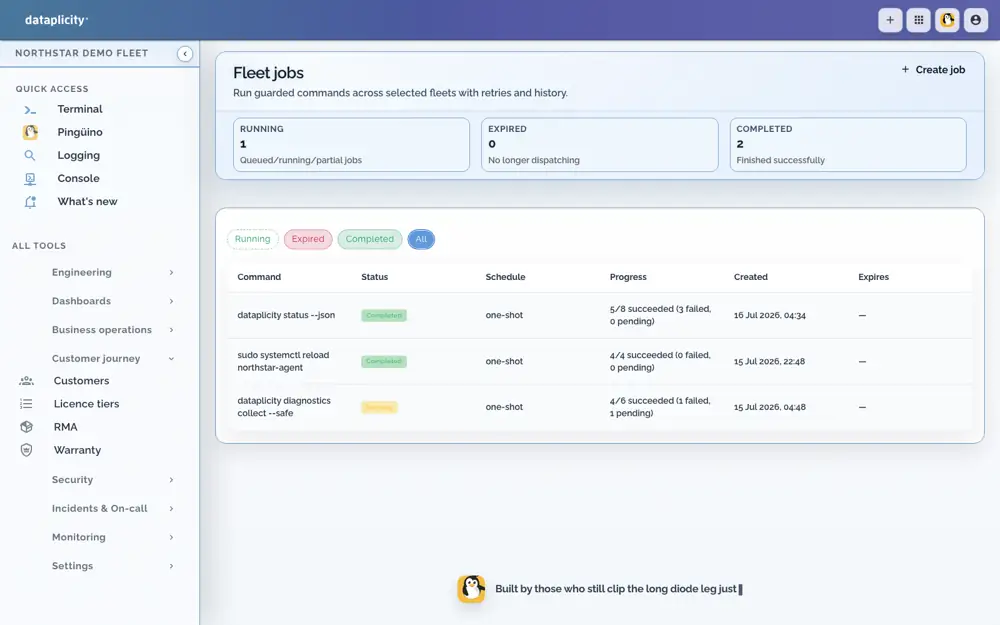
Select a few devices, inspect their outcomes and decide whether to expand.

Containers need a qualified runtime. RAUC needs a prepared image, signing and boot/recovery qualification; installing an agent does not create A/B slots.

Dataplicity fleet jobs running guarded commands across selected devices with progress history

Selected-device job progress · Northstar demo fleet

Give customers something useful.

Turn product readings and permitted controls into their own daily view.

Integrate selected product data and roles. Local processes additionally need prepared runtime, persistence and tested reconnect behaviour.

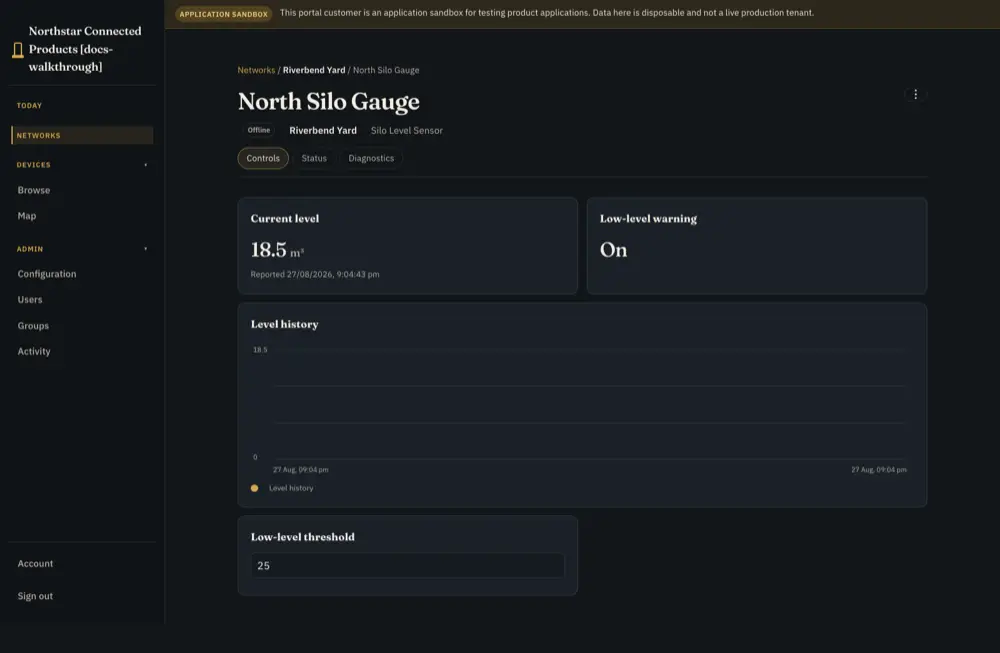
Silo level monitor showing 24 hours of readings declining to 18.5 cubic metres, with a low-level warning and threshold of 25

Customer readings and controls · level-monitor reference

You can start before there is a fleet.

Supply your design evidence for engineering help, or authenticate two CLIs for a granted private TCP service. Neither requires fleet-agent enrolment.

Setup and technical guides

Choose the setup question or guide you need.

Connect a reachable pilot before expanding.

Dataplicity cannot provide a remote access path until its agent is installed and connected.

  • Use the installation route you already have

    Existing remote access, your current update mechanism or an installer/site visit can deliver the agent. Verify resource use, identity, outbound connectivity and any reboot requirement on a pilot.

    Existing-product adoption guide →
  • Preserve recovery and your working stack

    Keep the application and updater. Test a first investigation, then expand deliberately. Legacy agents have different capabilities; check supported mode rather than silently replacing them.

    Sign in for an existing fleet →
Choose the next result on your existing fleet.

No duplicate organisation or device enrolment is required.

  • Evidence, response or customer controls

    Check the installed agent/runtime and your plan, then configure only what the job needs. Having a higher plan does not install a runtime or integrate your product.

    Choose a job →
Design the integration around the product you intend to ship.

Assistance can begin with requirements and supplied board evidence before a device exists.

  • Hardware, application and product contract

    Bring exact board/revision, schematic and customer requirements. Decide what data and controls to expose; include persistence and optional runtime/image preparation in your engineering plan.

    Hardware and firmware help →
Connect existing equipment

Identify an online device and open a supported remote terminal or file-access path.

  • Install and connect · What you add

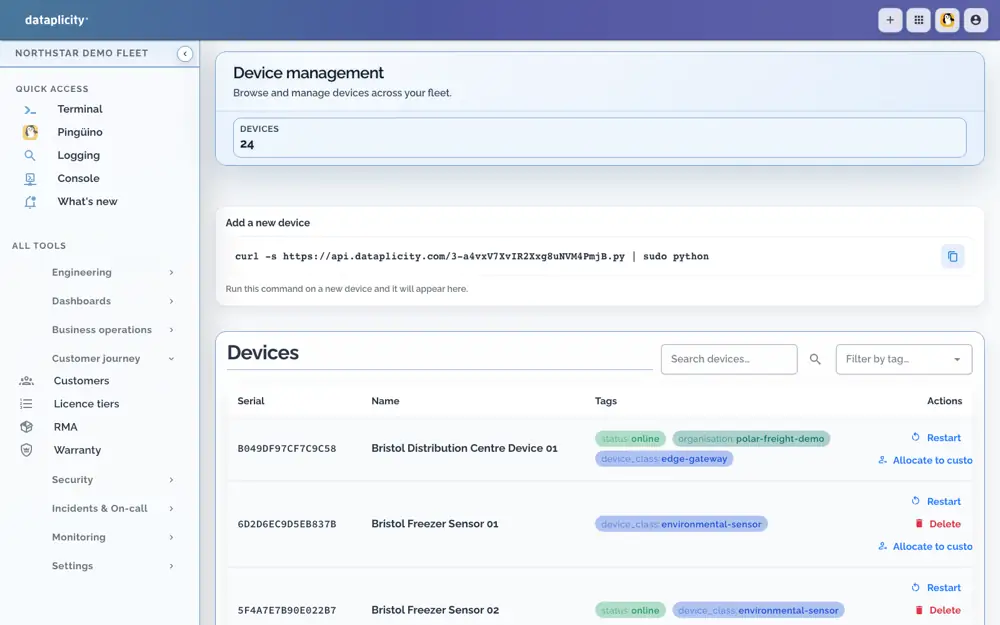
    Install the appropriate agent on supported Linux, permit outbound connectivity and verify the unit identity and role access. Use the installation command from Add a device.

  • What can stay

    Chosen Linux, current application and its supervisor.

  • Readiness and verification

    Prove connection and authorised access on a representative unit. Keep recovery access. Older agents and custom Linux need their own supported-mode check.

    Check the technical requirements →
Add operating evidence

Investigate using collected logs, diagnostics and eligible Pulse peer findings.

  • Enable and configure · What you add

    Enable collection, select signals and organise comparable Device Classes. Product-specific readings or health can require an adapter.

  • What can stay

    Application architecture and existing updater.

  • Readiness and verification

    Check timestamps, retention, log metering, missing evidence and Pulse baseline readiness. No pre-install log history appears automatically.

    Check the technical requirements →
Coordinate fleet response

Notice a material group condition and bring responders through to verified recovery.

  • Enable and configure · What you add

    Maintain accurate device groups, thresholds, persistence/recovery criteria and notification/on-call routes.

  • What can stay

    Equipment, application and retained business tools.

  • Readiness and verification

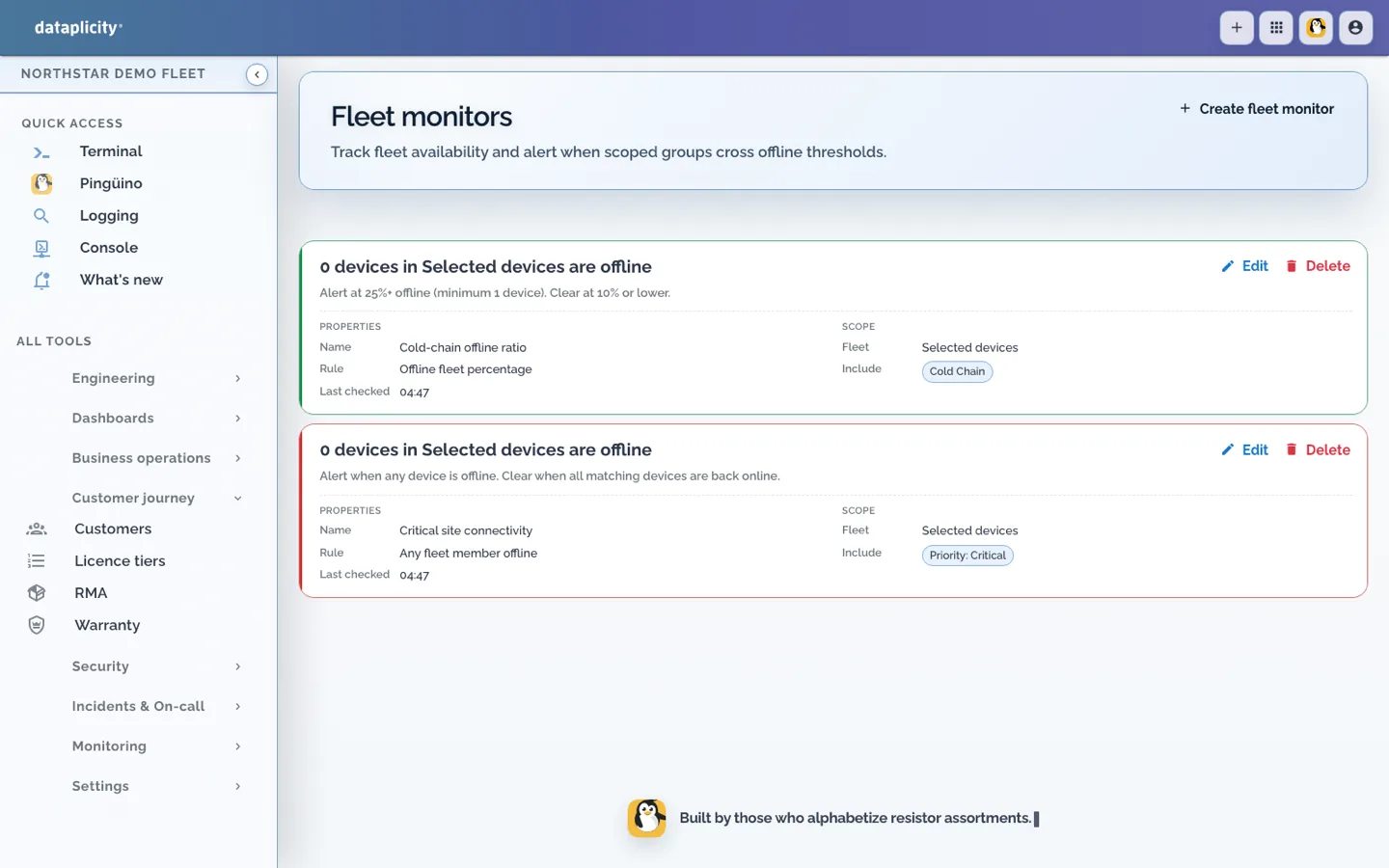
    Exercise a synthetic failure and recovery. Fleet monitoring, incidents and on-call follow Business+ access; Enterprise fleet SLOs are separate.

    Check the technical requirements →
Use your existing tools against devices

Reach granted device TCP services from an authorised Linux host through fleet IPs and private DNS.

  • Install and connect · Enable and configure · What you add

    Install and enrol Network Connector on its supported Linux source host. Configure an address range and device-tag/port policy.

  • What can stay

    Target application networking and the device OS.

  • Readiness and verification

    Test granted and denied devices/ports, ordinary clients and revocation. Connector is available on all plans within device/port allowances; an address alone is not permission.

    Check the technical requirements →
Share a private development service

Let an authorised teammate reach a named test TCP service between authenticated CLIs.

  • Install and connect · Enable and configure · What you add

    Install the supported CLI, authenticate publishers/consumers and grant the service name. Publish a loopback service for the test.

  • What can stay

    Developer machines do not need agent enrolment or a managed-device record.

  • Readiness and verification

    Check organisation, connect denial and Ctrl+C/disconnect behaviour. Tunnels have their own paying-organisation entitlement; Connector permission does not imply tunnel permission.

    Check the technical requirements →
Deliver application improvements

Target versioned application releases and inspect per-device outcomes.

  • Enable and configure · Qualify the runtime or image · What you add

    Configure Software Builds/containers, release targets and a qualified modern supervisor/container runtime—or retain your existing deployment system.

  • What can stay

    Chosen Linux and an application that need not become a managed container.

  • Readiness and verification

    Prove install, restart, health and failure on representative hardware. Application/container delivery is not an OS-image update.

    Check the technical requirements →
Orchestrate RAUC image updates

Roll out your qualified OS images and review install, validation and rollback evidence.

  • Enable and configure · Qualify the runtime or image · What you add

    Already RAUC-ready: verify signing, compatible bundles, reported outcome and fleet targeting. Not yet ready: engineer real A/B slots, persistent state and bootloader/recovery behaviour first.

  • What can stay

    Chosen distribution, own image/build system and application. Your existing updater can remain.

  • Readiness and verification

    Test limited rollout and recovery on representative hardware. Installing the agent does not create A/B slots or qualified rollback. Containers and customer applications are independent choices.

    Check the technical requirements →
Expose product data and customer controls

Give customers a branded view of their own equipment with useful readings and permitted controls.

  • Integrate your product · Enable and configure · What you add

    Define streams/settings/actions, an adapter where needed, product UI, customer/site allocation and roles.

  • What can stay

    Product runtime, firmware, safeguards and any retained external application.

  • Readiness and verification

    Test two-customer isolation, desired versus applied state and offline/stale behaviour. Standard supports one portal/customer organisation; Business+ expands this within published limits.

    Check the technical requirements →
Run a selected product process locally or in the cloud

Coordinate a bounded customer job and deliberately chosen offline behaviour.

  • Integrate your product · Qualify the runtime or image · What you add

    Model the process, integrations, local datasets, finite buffering, expiry and reconciliation. Prepare supported runtime and persistent storage.

  • What can stay

    Physical/safety logic and retained systems.

  • Readiness and verification

    Prove controlled disconnection, local action, restart and reconnect. No automatic cloud-to-edge migration, unlimited buffering or offline payment acceptance.

    Check the technical requirements →
Assistance spans every path.

24/7 AI assistance; plan, context and usage conditions apply. Human escalation is separate and asynchronous.

  • Ask a question with the relevant evidence

    For a board interface, supply the exact revision and drawing to Equidna. For a product control, supply requested/applied behaviour to Nutria. For a field fault, provide the unit and time range in the permitted private Pingüino path.

    How specialists work with your team →
Three possible paths—not an upgrade ladder.

Illustrative adoption examples, not customer deployment claims.

  • Existing industrial gateway

    Connect a representative unit, collect evidence and support it; configure response when useful; optionally introduce application or image delivery. Keep the customer backend until there is a reason to change it.

  • New level-monitor product

    Hardware/firmware discussion, bench data contract, customer readings, installation/handover and local behaviour where required. No mandatory RAUC step.

  • Established RAUC fleet

    Retain the qualified image, verify reporting and targeting, test limited rollout and recovery, then expand deliberately. No mandatory Customer Portal.

What does adopting Dataplicity commit us to?

Choose only the capabilities useful to your product.

  • Do we need Dataplicity OS or containers?

    No required OS migration. Fleet support can run alongside a supported existing Linux application. Dataplicity OS is an optional prepared path; managed containers need their own runtime qualification.

  • Can we keep the updater and customer application?

    Yes. Existing deployment and customer systems can remain. Integrate selected capabilities and avoid competing systems issuing the same change.

  • Does installing the agent enable everything?

    No. Evidence needs collection, response needs policy, customer controls need product integration and RAUC needs image/boot qualification. Consult the runtime matrix for older agents and custom Linux.

    Agent and runtime support matrix →

Prove one useful connection.

Use a representative supported Linux device and keep your recovery path.