
Team projects
Break a project into practical tasks. Give each card an owner and a checklist so the next person can pick it up.
- Todo
- Doing
- Review
- Done

Turn a list of jobs into a shared Kanban board. Move cards through your workflow, give each task an owner and keep the details with the work.
No device enrolment needed. In Dataplicity, open Projects → Boards.
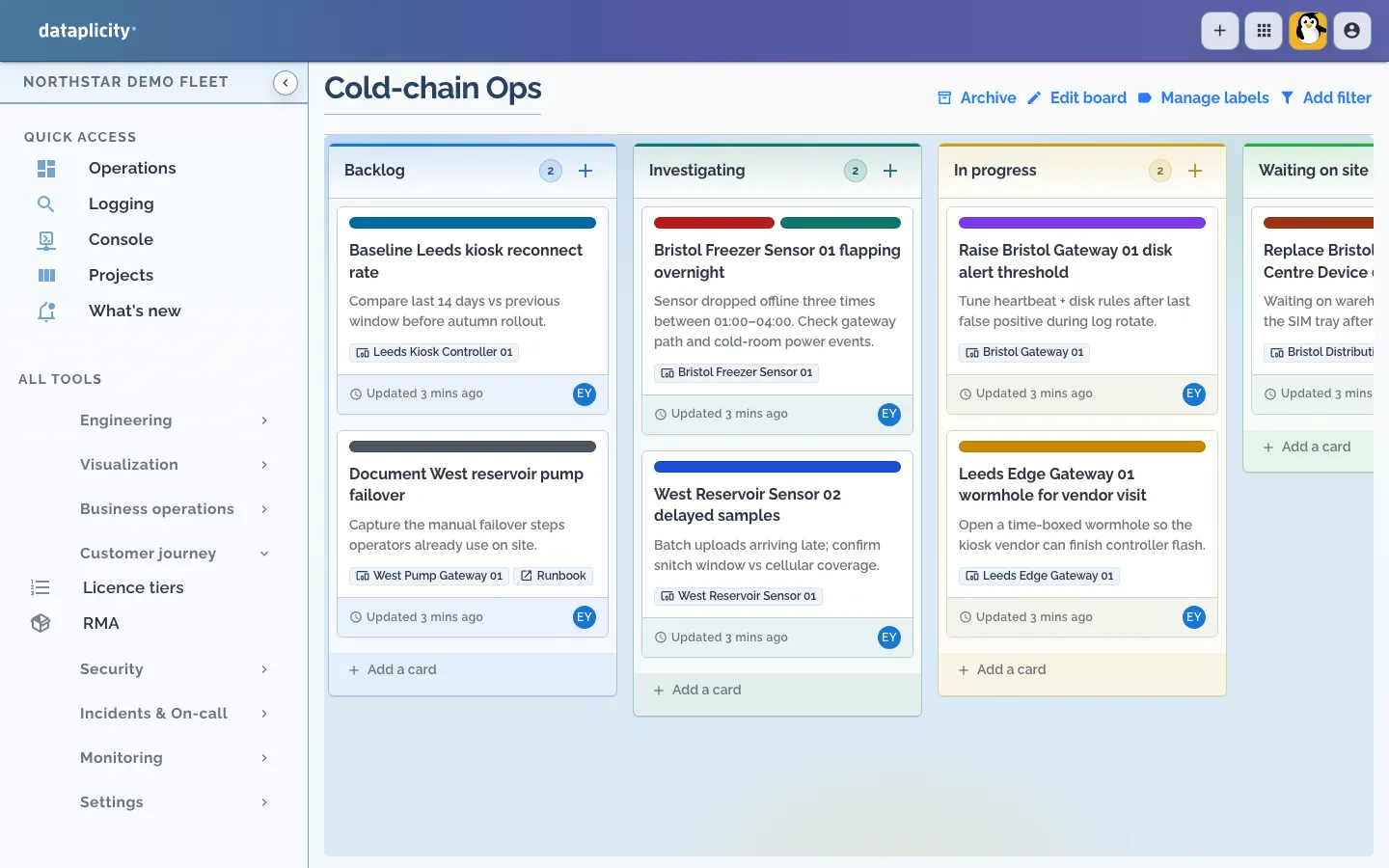
Start with Todo, Doing and Done. Rename and reorder columns to match the way your team works, then drag cards forward as each job progresses.
Break a project into practical tasks. Give each card an owner and a checklist so the next person can pick it up.
Track what is ready, what is being installed and what still needs checking before the site is handed over.
Keep investigations, parts and verification steps together. See which jobs are waiting on someone else.
A card holds more than a title. Keep the problem, the owner and the steps to finish it in one place.
Explore boards and cards →Use boards for everyday planning. When a job involves your fleet, connect the card to the records your team already uses.
Choose Add to board from a supported device, incident or event view. The new card links back to the source, ready for the investigation or follow-up.
Explore fleet operations →Link devices, device classes, events, incidents and monitors. Linked devices show their current online or offline state, keeping the equipment in view beside the task.
Link cards to Initiatives and Projects. Progress on those cards contributes to the planning status of the larger piece of work.
Use organisation-visible boards for everyday teamwork. For sensitive work, make a board private and grant access through group board access tags.
Board access does not grant access to linked devices, incidents or other records. Their own permissions still apply.
Open Projects → Boards, select Create board and add the first job. Project Boards are available when enabled for your organisation, within your plan’s capacity limits.
Read the board guide →