
Scope the problem
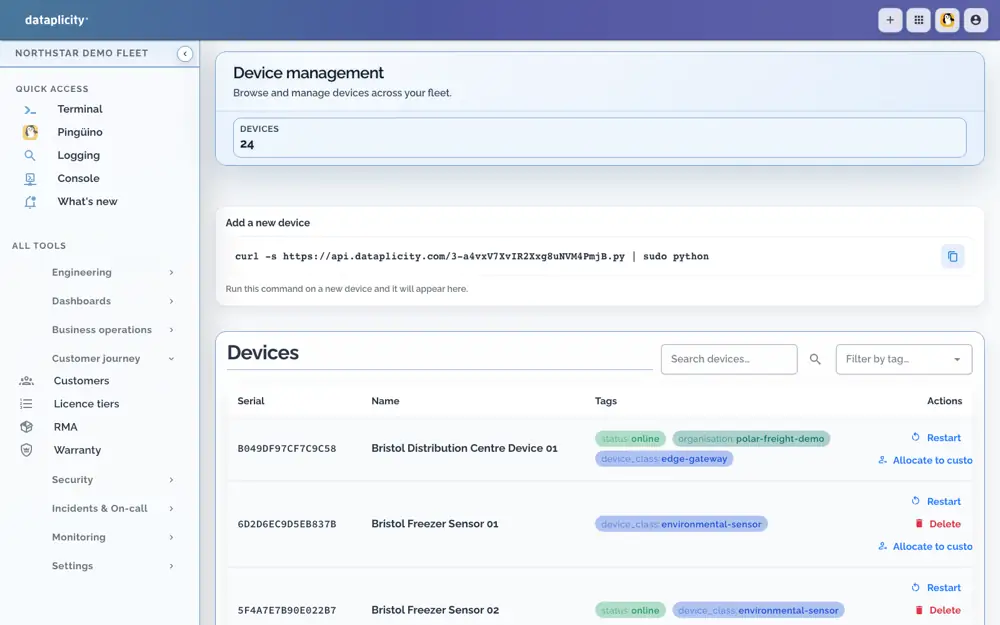
Find the affected devices and compare their class, customer, site or cohort.

Review device identity and health, compare peers with Pulse, and investigate collected logs with the fleet context in front of you.
Worked investigation sequence. Available evidence depends on what has been collected and your plan.
Find the affected devices and compare their class, customer, site or cohort.
Use Pulse findings and collected logs to look for a change. Peer divergence is a reason to investigate, not proof of failure.
Inspect an online device, take an appropriate action and review fresh evidence afterwards.
Explore this capabilityOne device proves remote access. Peer comparison needs comparable devices in a class and time to collect evidence. Choose a paid plan for Pulse and the investigation capabilities you need.