
Connect from the device
The agent makes the outbound connection, including from behind NAT or a cellular network when policy permits it.

Reach an online device through its outbound Dataplicity agent connection. No inbound SSH port or customer VPN is needed. The device must be able to reach Dataplicity under the customer’s outbound network policy.
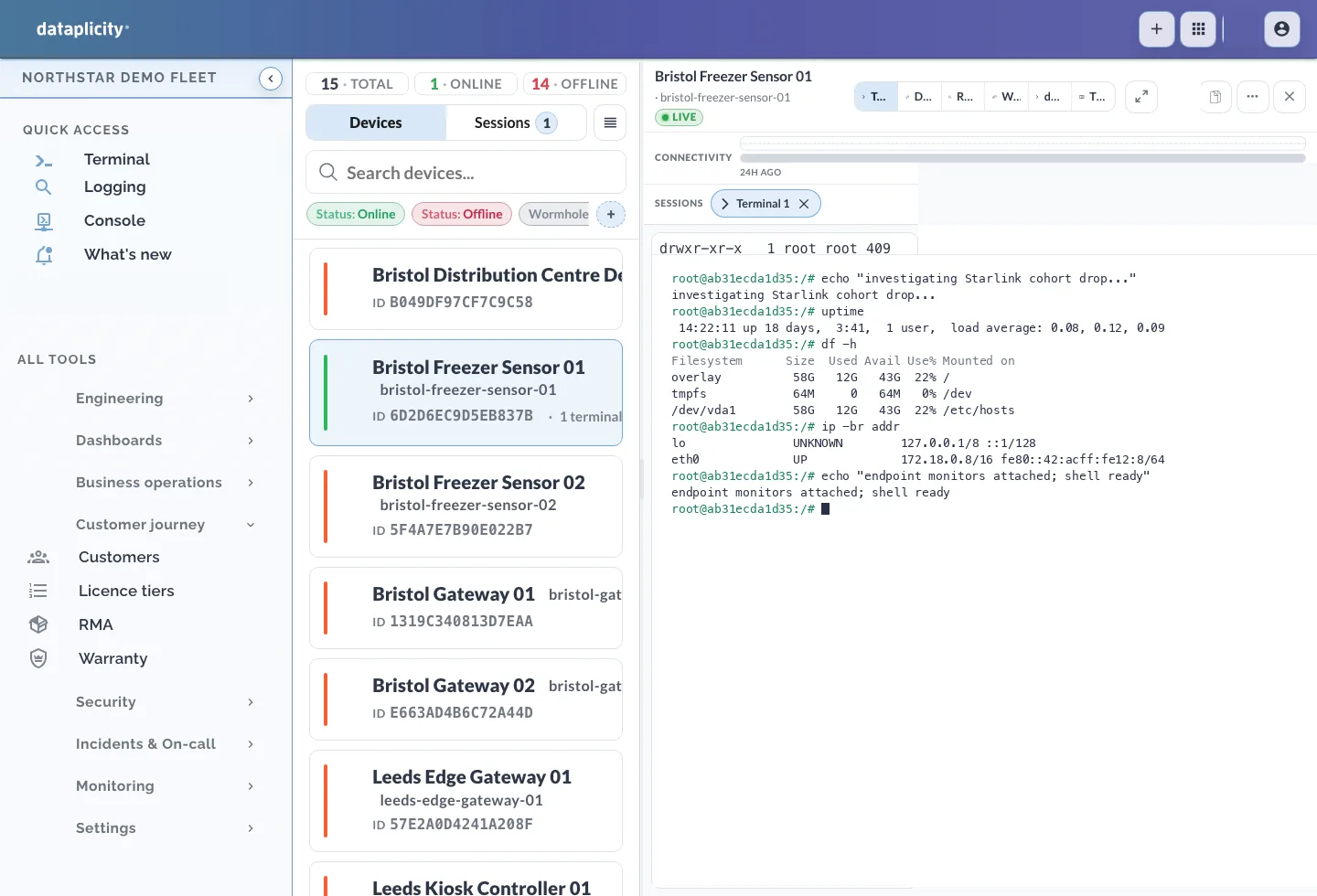
Install the agent on a supported Linux device you can access. Live remote access begins when the agent is online and can reach Dataplicity. Outbound network policies still apply.
The agent makes the outbound connection, including from behind NAT or a cellular network when policy permits it.
Select an online device and open its remote terminal with the appropriate account access.
Session opens are recorded. Terminal contents and keystrokes are not recorded.
Open shells from the same UI used for alerts and inventory.
Shell
Launch a secure shell over the outbound connection.
Context
Stay in context with inventory and logs.
Policy
Restrict access by role and cohort.
Review access events. Terminal contents and keystrokes are not recorded.
Audit
See who opened access and which device actions they invoked.
Incidents
Record your investigation and resolution steps in incident notes.
Security
Review terminal usage in security activity.
Get a terminal on your device.