
Syslog
Unified streams
Device, SaaS, and backend logs land in one view.

Search collected device and backend logs by time and device context. Investigate what changed and check fresh logs after a fix. Retention and analysis capabilities depend on your plan.
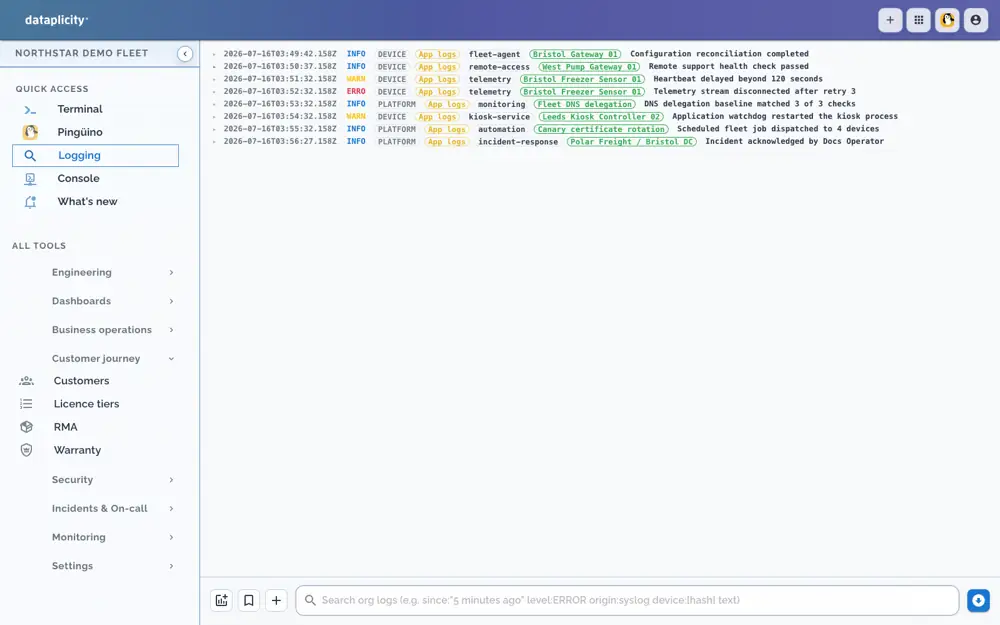
Send syslog through the device connection or configured collectors, then search it from the shared operations timeline.
Syslog
Device, SaaS, and backend logs land in one view.
Search
Search by device, cohort, or error signature.
Context
Logs carry device tags and metadata.
Logs become more useful when they inherit the metadata already attached to each device.
Devices
Move from a log line to the device record, customer, and current health state.
Cohorts
Search only lab units, a pilot customer, a firmware version, or a region.
Patterns
Compare error signatures across devices to separate one-off failures from product issues.
Keep the facts that explain a support case beside the action that fixed it.
Alerts
Pair log evidence with heartbeat, threshold, and availability alerts.
Terminal
Read logs before opening a shell, then return to the same timeline after the fix.
Audit
Preserve the evidence trail for customer updates, warranty analysis, and postmortems.
Set up syslog and HTTPS collectors so you can start sending logs right away.