
Devices, readings and controls
Give a customer a useful view of their equipment, its readings and the actions they are allowed to take.

Give customers their devices, data and permitted controls in your brand. Add records, rules and workflows when the job needs more than a device screen. Your engineers keep the tools to operate and support the hardware.
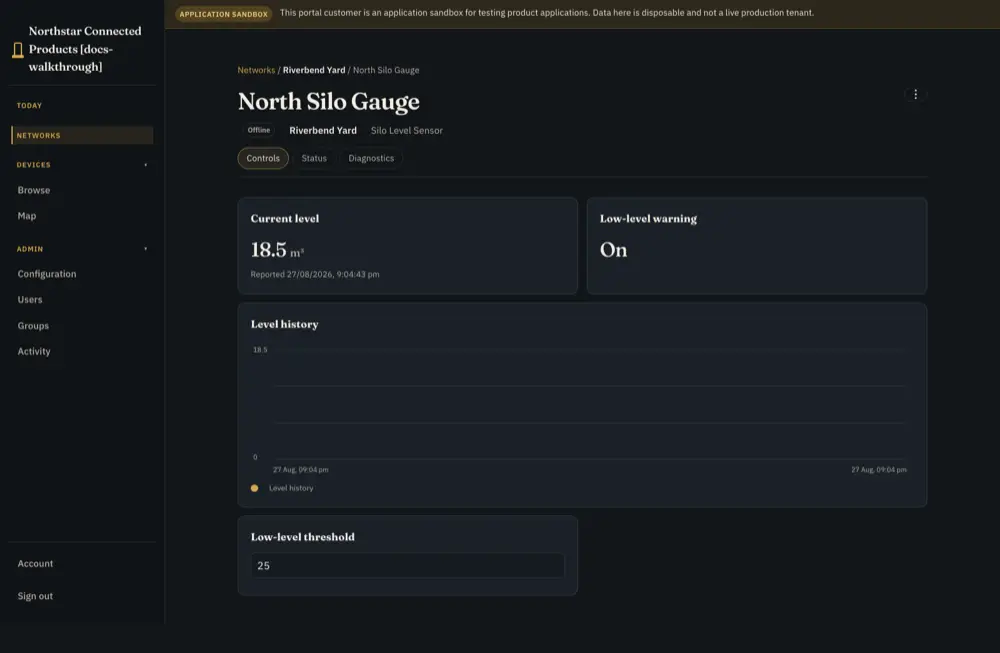
A branded portal is the customer entrance. A Product Application defines the records, pages and workflows inside it.
Give a customer a useful view of their equipment, its readings and the actions they are allowed to take.
Build around a site task: manage schedules, review events or work through an outload process. Define the data and behaviour the task requires.
Keep it. Use Dataplicity for your engineering and support team without rebuilding the customer experience.
Explore this pathBuilding the application takes product engineering. The platform supplies the shared machinery; your team defines what the product does.
Your team supplies the hardware, sensing, runtime and command handlers. Define the telemetry and controls your product exposes, including safety checks on the device.
Configure branding, customer access and pages. For Product Applications, define records, rules and processes and connect them to your device contract.
Dataplicity provides device identity, fleet operations, customer and site organisation, scoped customer access, and the application authoring and publishing system.
Worked SiloSentry reference scenario. This explains the operating model; it is not evidence of an unrelated customer deployment.
A probe and gateway report a silo reading. Your sensing stack owns measurement and calibration.
The customer sees their silo levels and attention state in the branded application. Their view is scoped to the equipment and site they can access.
When a reading or gateway needs investigation, engineers use device health, collected logs and remote access. Verify fresh readings after an intervention.
Explore this pathThe integration effort depends on your device interface, data model and workflow. A working example gives your engineers a concrete starting point.
Connect a representative device. Define its Device Class and the readings and actions required by the customer job.
Build the customer pages and workflow. Check permissions with separate customer accounts and test device failures and lost connectivity. Offline behaviour needs explicit design.
Publish a version and run it for a customer in a Product Instance. Test later changes with representative data and devices before moving customers to another version.
Explore this pathBoth paid plans can also be used for fleet operations without a customer application.
One Customer Portal and one downstream customer organisation, with portal branding. Use the published limits to check the fit.
Multiple portals and customer organisations, subject to platform limits, alongside advanced operating capabilities.
Explore this pathFollow the level-monitor walkthrough from the device contract to the customer view. Then use the Product Applications guide to map the work for your product.