

Remote access & fleet operations
Remote access, fleet health and logs for your Linux devices.
Reach devices behind customer networks, spot unexpected changes with Pulse, and investigate problems through logs and diagnostics. Keep control from the first prototype to the fleet already in the field.
A complete workspace for your team. No customer portal required.
Reach the device
Get to the box. Keep the fleet in view.
Open a Linux terminal from the device record. Reach its web interface with Wormhole, or forward a service port for your own tools. The agent connects outbound, so devices behind NAT and cellular networks can stay within reach.
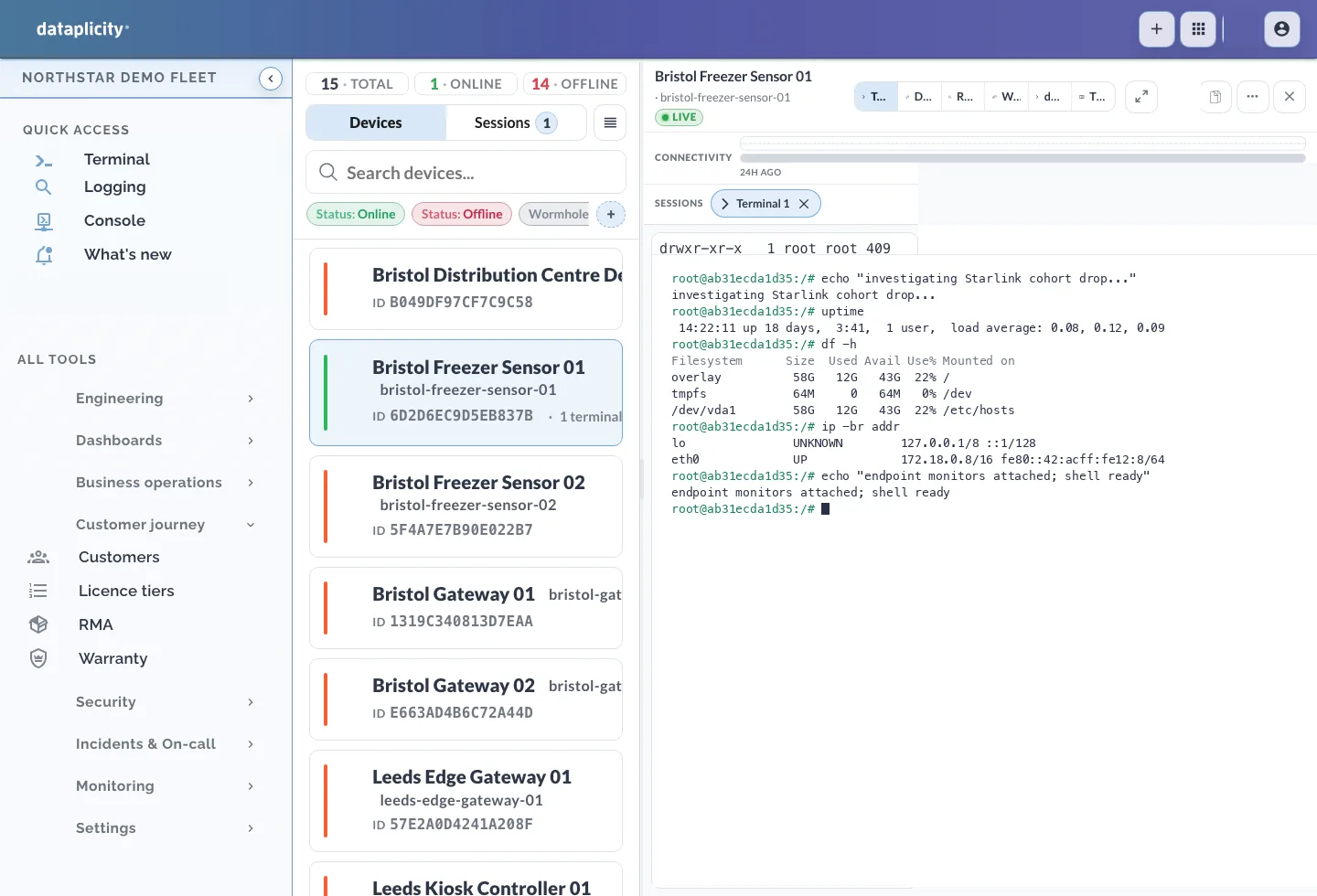
Your Linux. Your application.
Install the agent alongside the software you already run. Keep your hardware and supported Linux distribution.
An outbound connection
Live access requires an online agent that can reach Dataplicity. No inbound port or customer VPN is needed; outbound network policies still apply.
The right device, with context
Move from fleet inventory to the selected device, its diagnostics and its terminal in the same workspace.
Spot unexpected changes
Which device stopped looking like its peers?
Pulse learns the operational fingerprint of a Device Class and flags devices that diverge. Review disk, package and agent-version differences without having to maintain a gold image yourself.
A finding gives your team a place to investigate. Compare the affected device with its peers, then use diagnostics and logs to understand the change.
Read the product documentation →Class normal
Root disk 91% · packages diverged · no gold baseline required
Investigate and act
Find the evidence before you make the fix.
Search device logs around the affected time, inspect diagnostics and use remote access to check the service. Work from the evidence available for that device instead of asking someone on site to copy and send files.
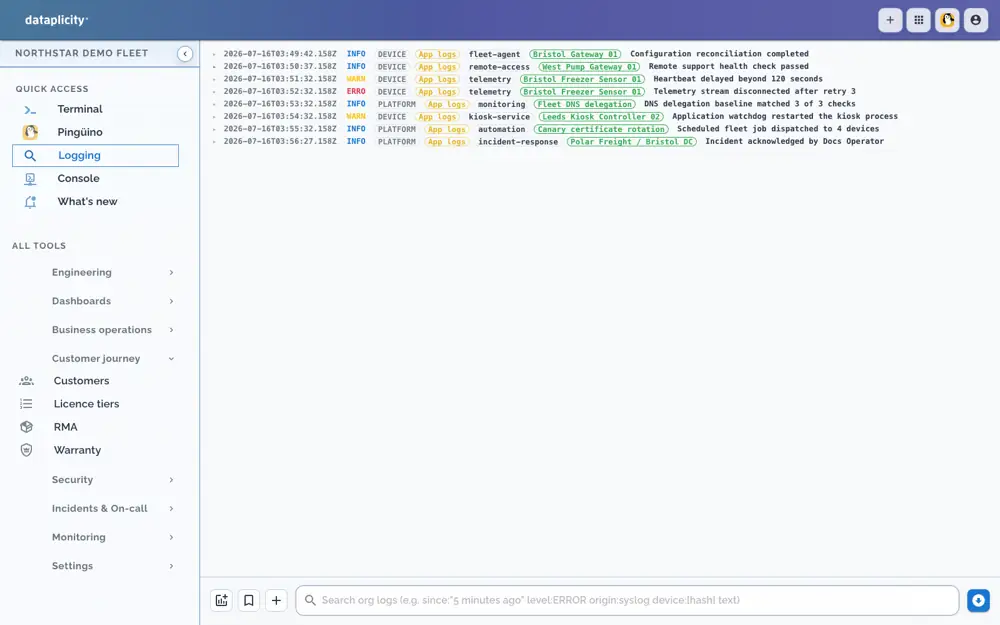
Dataplicity logging console, shown with a demo fleet. Retention and analytics depend on your plan; only collected logs are available for review.
Narrow the investigation
Filter the collected logs by device and time. Look for repeated errors or changes around the reported problem.
Take the next action
Use a live terminal for an online device, or guarded fleet jobs on Business+ when the same action needs to reach a selected cohort.
Check the result
Review fresh logs and device health after the action. Keep incident ownership and follow-up together with Business+ incident handling.
Useful wherever you are in the lifecycle.
You do not have to wait for a new hardware design or a customer application project to improve how you operate devices.
On your desk
Connect a development device and prove remote access before choosing how to roll out.
Entering production
Include agent installation in provisioning and organise devices into classes as the fleet grows.
Already in the field
Install through your existing remote management, software update or on-site process. Start with a reachable cohort; Dataplicity access begins once the agent is installed and connected.
Bring the team. Keep access under control.
Use role-based access and review security activity across sign-ins, access changes and device sessions. Remote session opens are recorded as access events; terminal contents and keystrokes are not recorded.
Standard
Remote access, diagnostics, logging and Pulse for everyday device operations. A customer portal is optional.
Business+
Add advanced log investigations, fleet jobs, incidents and on-call escalation. These are useful for operations teams whether or not customers need an application.
Start with a device you can reach today.
Get the install command, connect your Linux device and open its remote terminal. Evaluate on one device, then choose the paid plan for the operating capabilities you need.
If customers need their own application, the same connected devices can support it. Explore customer portals & applications →